The SeoSamba MOS Social Calendar allows you to connect your YouTube channel and publish videos directly from the Social Calendar, both from the desktop and mobile (Apple and Android) versions. This makes it easy to manage your video publishing alongside your other social media content.
Before connecting your channel, make sure that:
Your Google account is the Owner or Admin of the YouTube channel you want to connect.
Your YouTube channel has at least one playlist created. This is required for the integration to work.
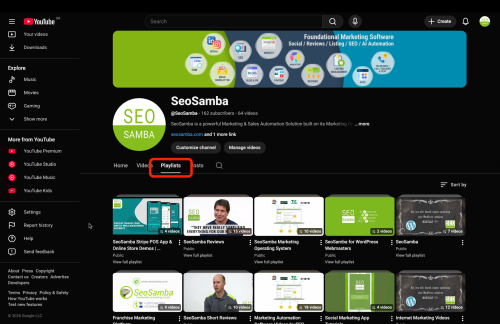
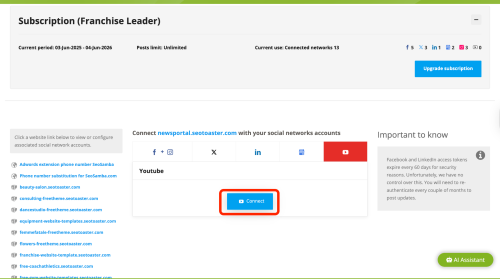
Once these requirements are met, follow these steps:
Open your SeoSamba MOS Social Calendar.
Click on the Social Accounts tab.
Select YouTube.
Click Connect.
Log in to your Google account and allow all permissions requested by MOS.
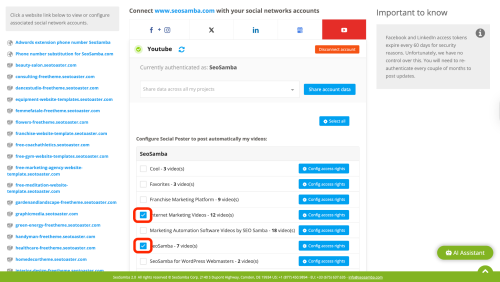
After the connection is completed, you will see that your YouTube account is connected and your video playlists are visible in the system.
Before publishing a video, make sure to select the playlist where the video will be posted.
Important: Selecting a playlist is required for the YouTube publishing feature to work properly.
Once your channel is connected, you can publish your video.
Open the Social Calendar tab.
Click Create a Post.
Upload your video.
Select your YouTube channel and the playlist where the video should be published.
During the publishing process, the built-in AI assistant will automatically generate a suggested title, description, and tags for your video. You can edit them if needed before publishing.
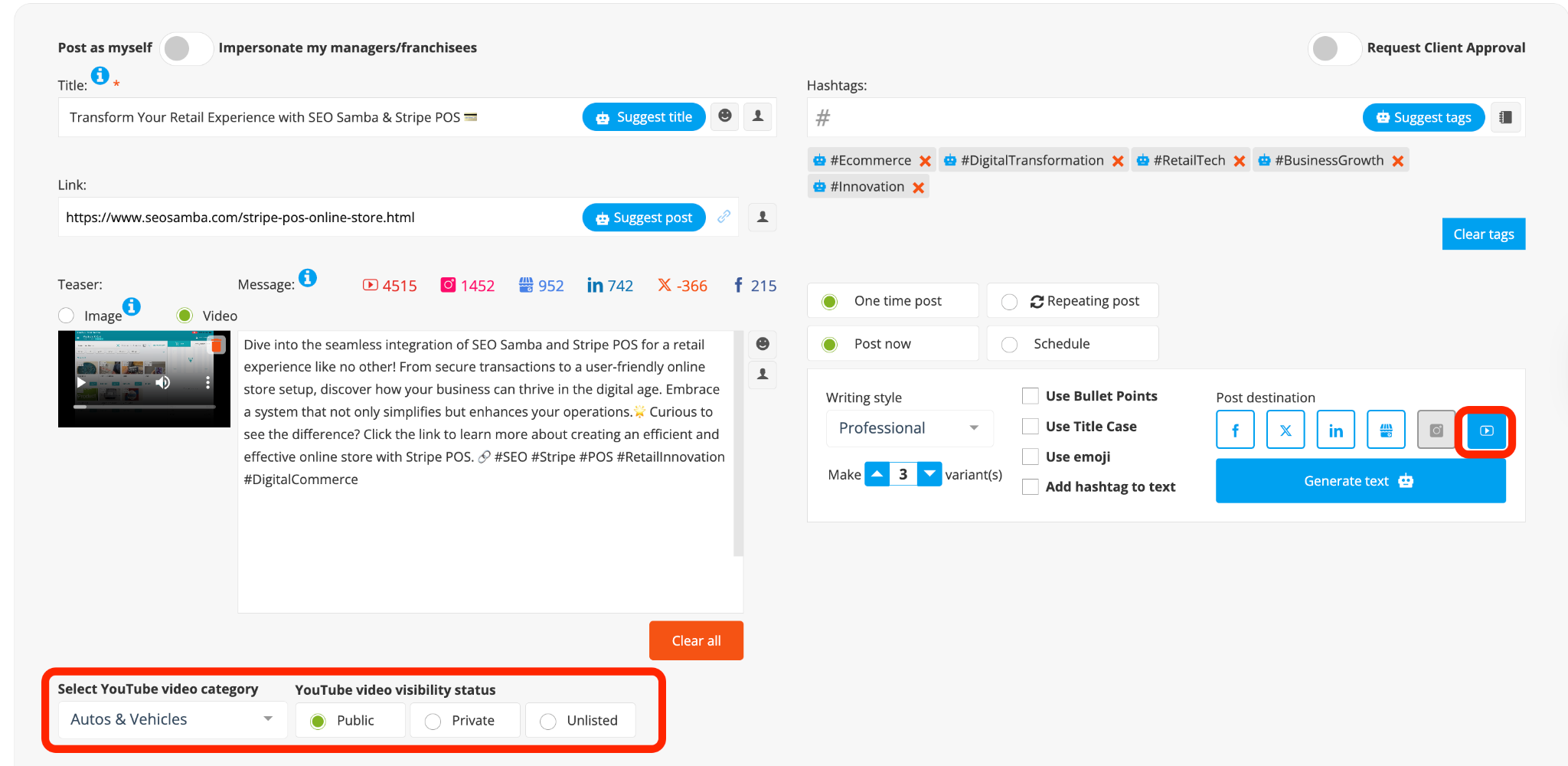
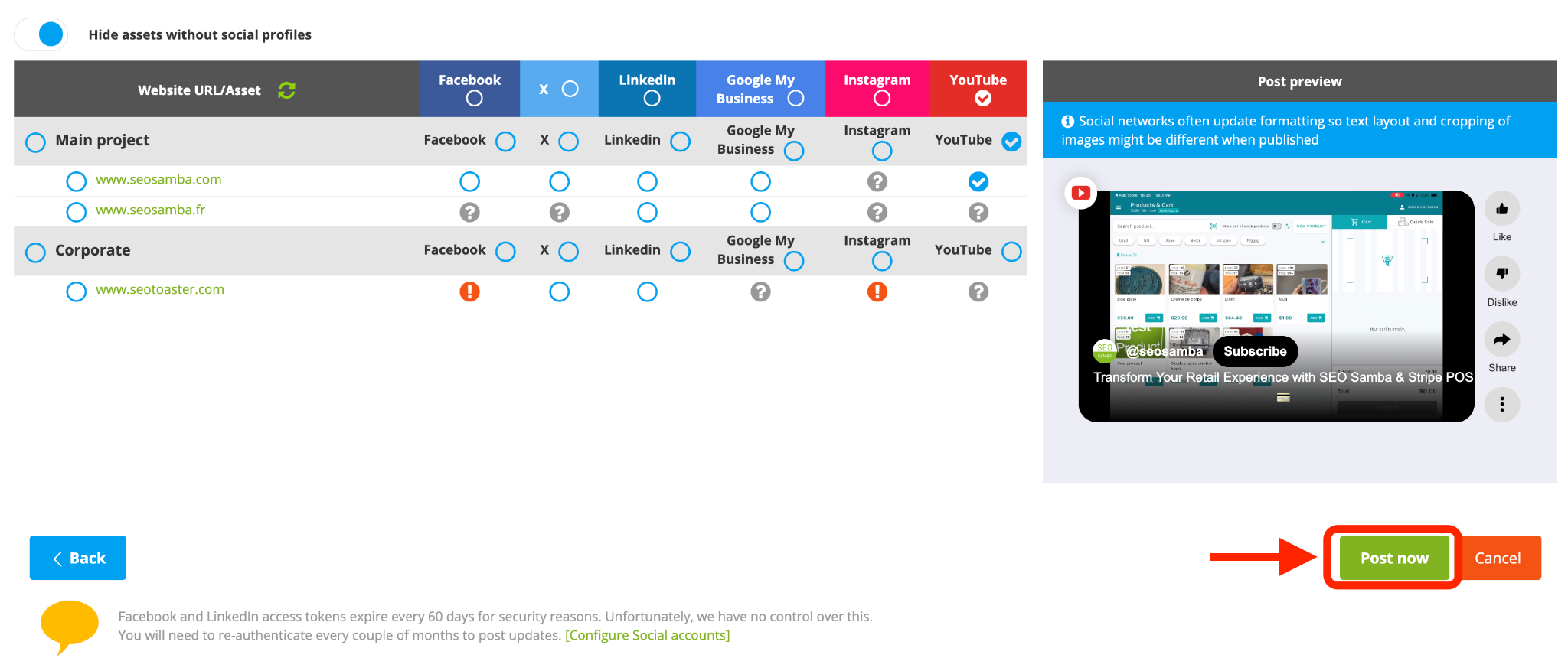
You can either publish the video immediately or schedule it for a later date and time directly from the Social Calendar.
SeoSamba also allows you to use your YouTube videos as part of your website’s review and reputation strategy.
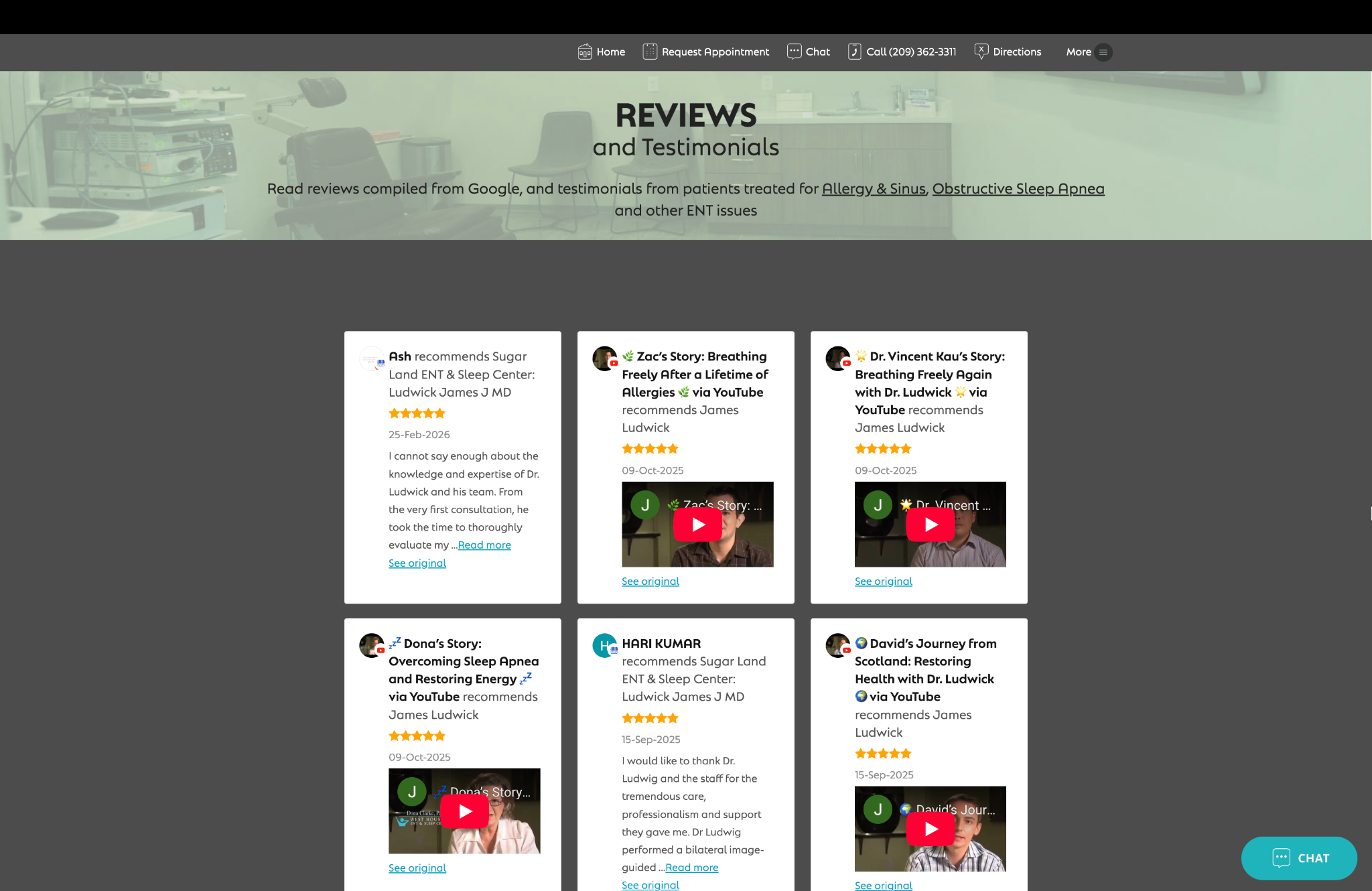
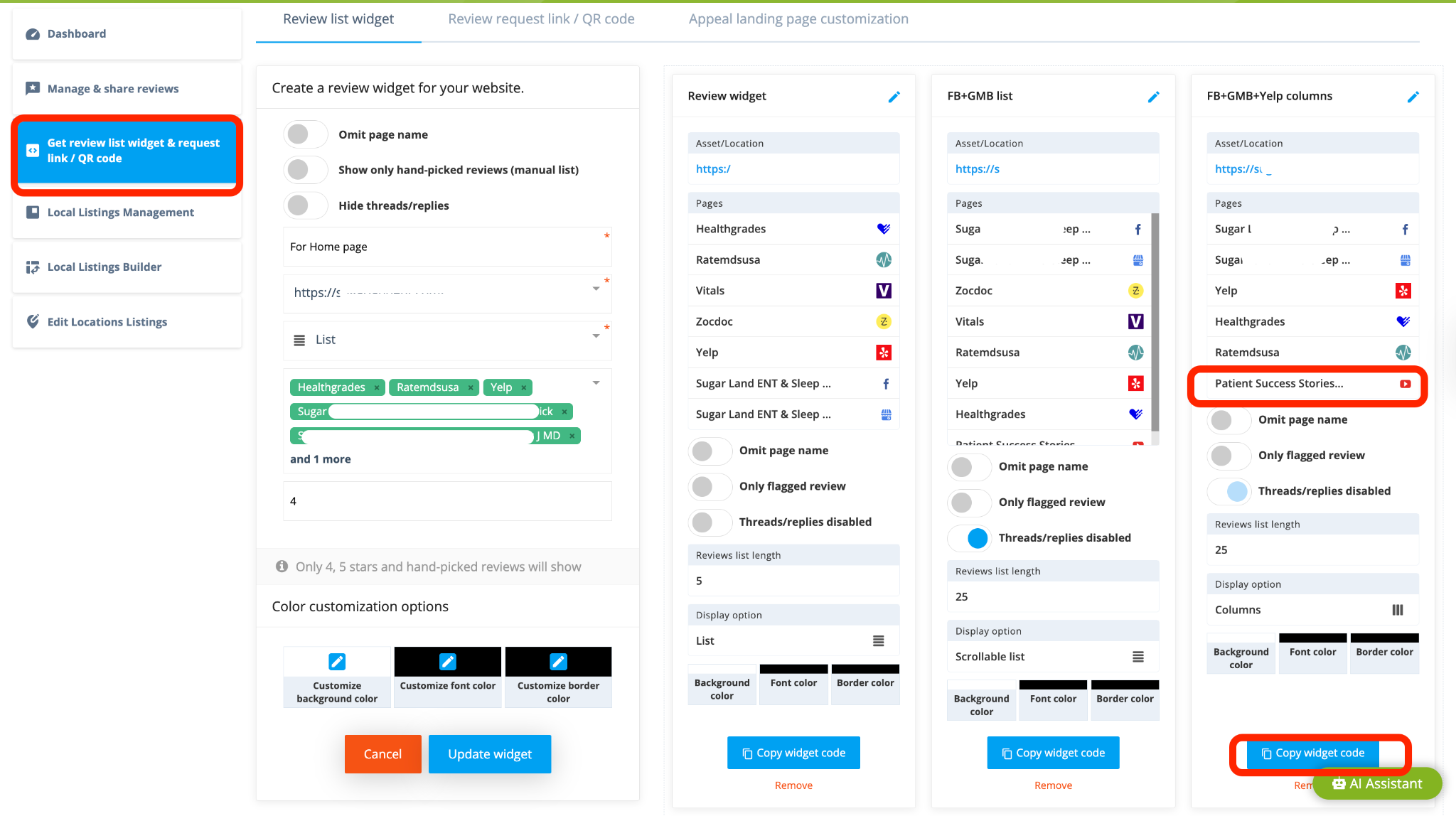
You can create a dedicated widget displaying YouTube videos, or mix YouTube videos with reviews from other platforms in a single review widget. This allows you to showcase video testimonials alongside written reviews and strengthen social proof on your website.


 sales:
  sales: