Connect your SeoToaster site Connect your WordPress site
SeoToaster CMS. CART and SeoToaster CMS Ultimate All in One

Stripe Integration Guide

SeoSamba offers a built-in Stripe plugin that allows you to securely accept payments through your e-commerce cart or via quote payments. This integration supports modern payment methods like Apple Pay and Google Pay, providing a smooth and reliable checkout experience for your customers.
Step 1: Create or Access Your Stripe Account

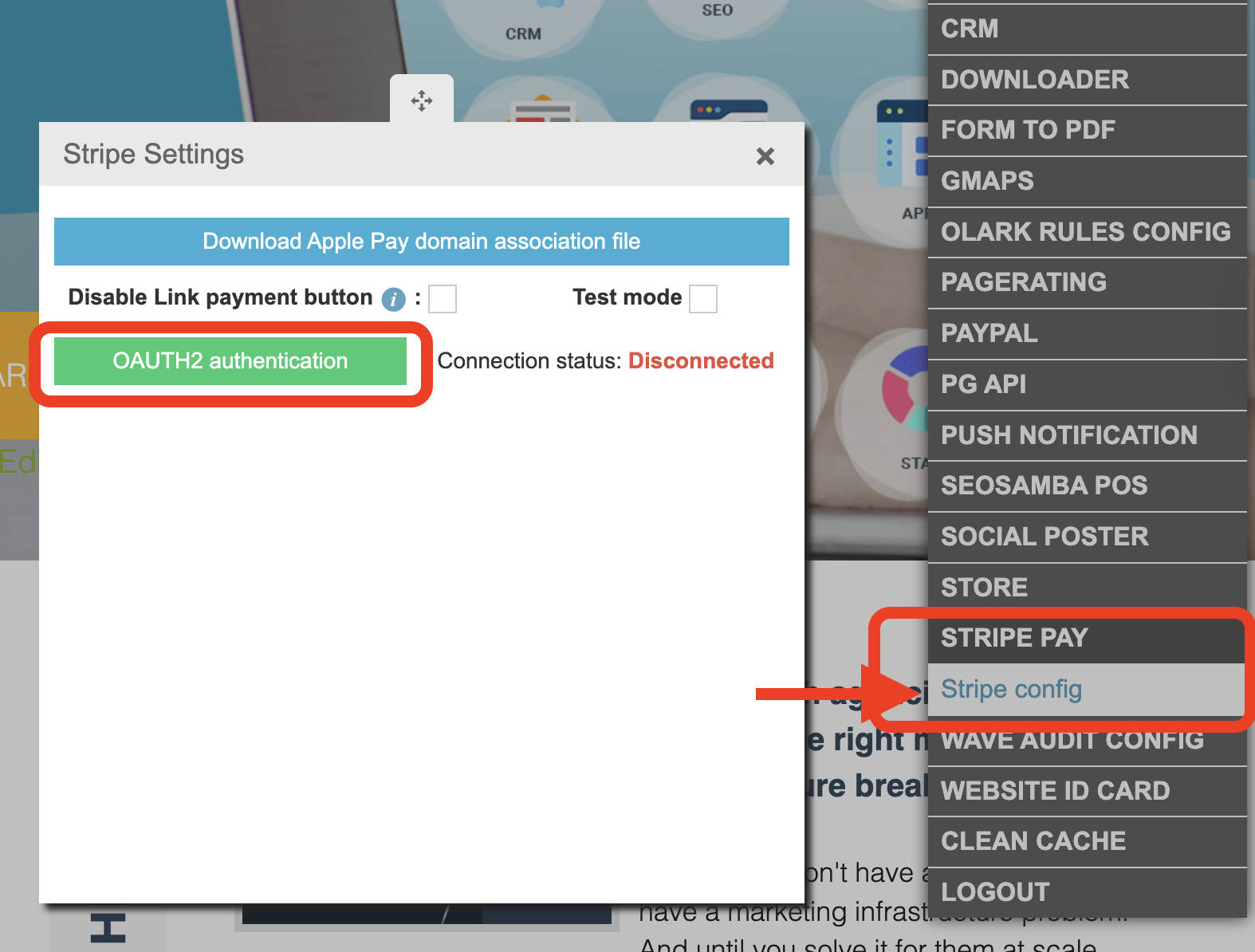
Step 2: Connect Stripe to Your Website

  1. Log in to your SeoSamba dashboard.
  2. Navigate to the Stripe plugin settings.
  3. Click the green “OAUTH2 Authentication” button.
  4. You will be redirected to Stripe—log in if prompted.
  5. Click “Allow” to grant SeoSamba permission to connect with your Stripe account.

screenshot 2026 04 20 at 213545

That’s It!

Your website is now connected to Stripe, and you can start accepting payments, including Apple Pay and Google Pay, directly from your site.

If you need help configuring payment options or testing transactions, feel free to reach out to support.


Download our Social Media and CRM Mobile Apps for your Iphone Download our Social Media and CRM Mobile Apps for your Android Phone Sign Up Login