SeoToaster CMS. CART and SeoToaster CMS Ultimate All in One
Connect the CRM MCP server to ChatGPT
- Open ChatGPT Plugins, click Add in the top-right corner, then select Create MCP app.

- Enter a name, such as Your Website CRM, and a short description.
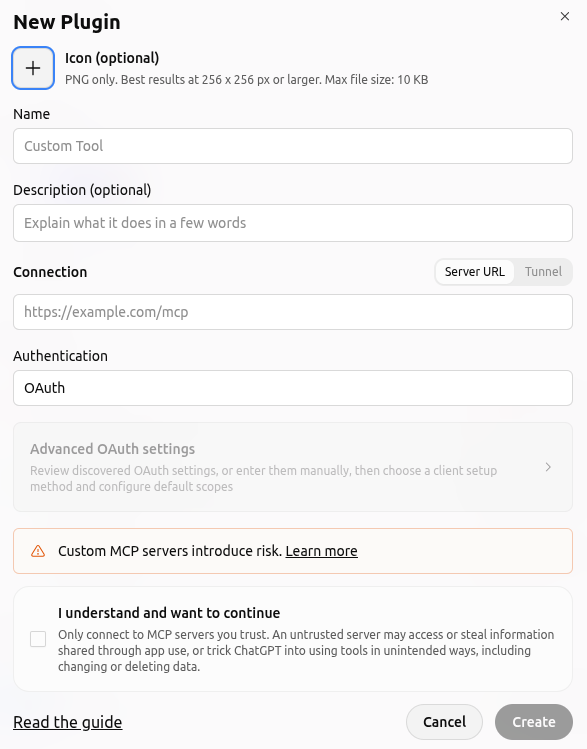
- Enter the MCP server URL: agents.seosamba.com/mcp.
- Select OAuth from the Authentication dropdown.
- Check I understand and want to continue, then click Create.
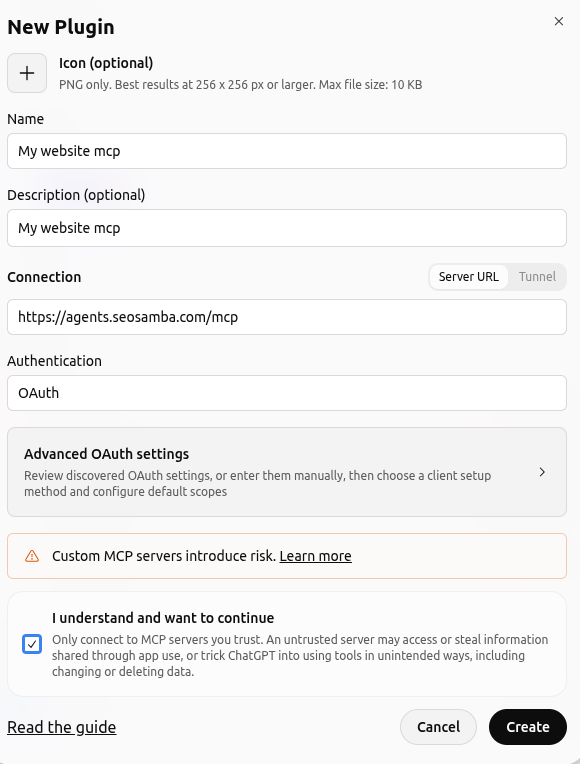
- In the window that opens, click Continue to proceed to authorization.
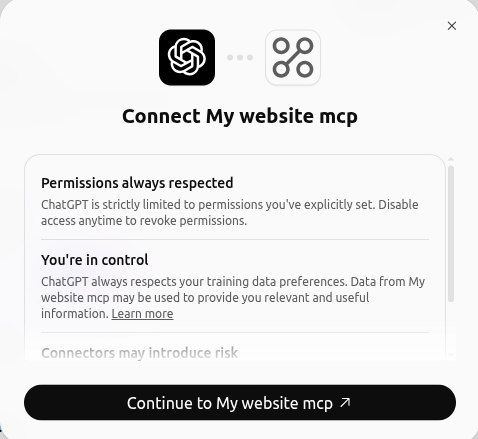
- On the authorization screen, enter your MHUB login and password.
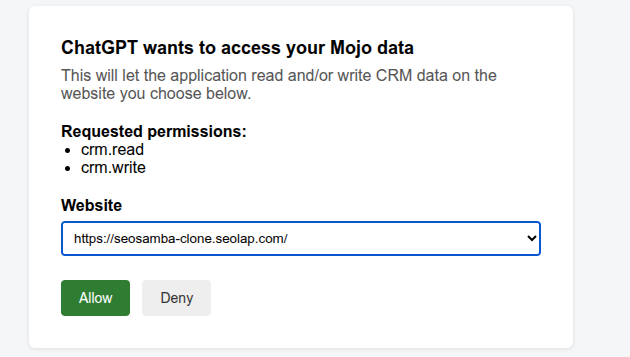
- Select your website from the list.
- After authorization, you will be redirected to ChatGPT.
- Open a new chat, select the CRM app, and test it with a read-only request such as “Show me the last 5 leads.”
If “Create MCP app” is missing
If Create MCP app is already visible, you do not need to enable Developer mode separately. If it is missing, check Settings → Security and login for a Developer mode option and confirm that your account or workspace allows custom MCP connections.



 sales:
 sales: